How it works
Scheduling that adapts to your rules.
SKEDA is workforce management software that understands your constraints as fill-in-the-blank rules, then builds compliant rosters automatically. When someone calls in sick, it finds fair coverage without the phone calls.
See it in action
Simple graphical setup
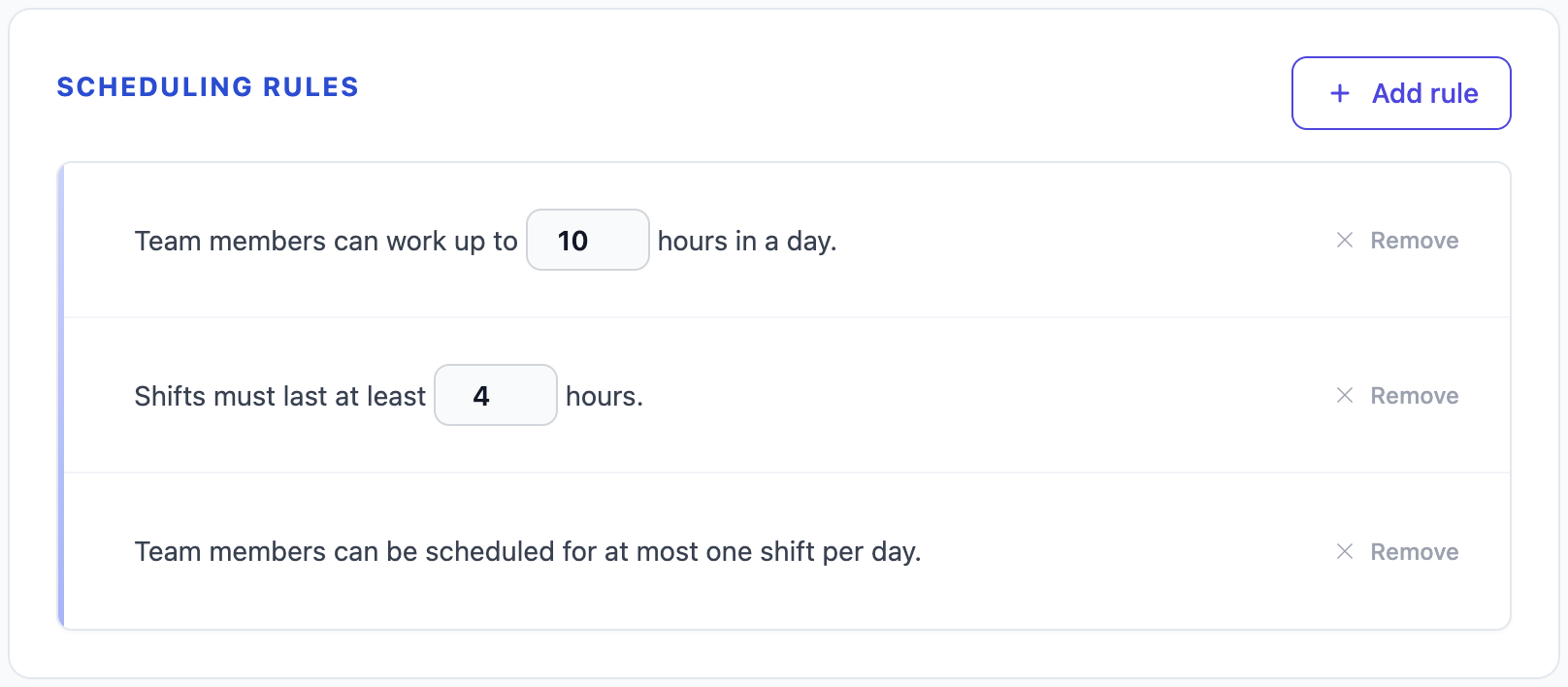
Rules that read like sentences
"No more than 6 days in a row." "Three rest days after night shifts." Each constraint is a fill-in-the-blank sentence. Write what you mean, and the solver enforces it.
Draw your staffing,
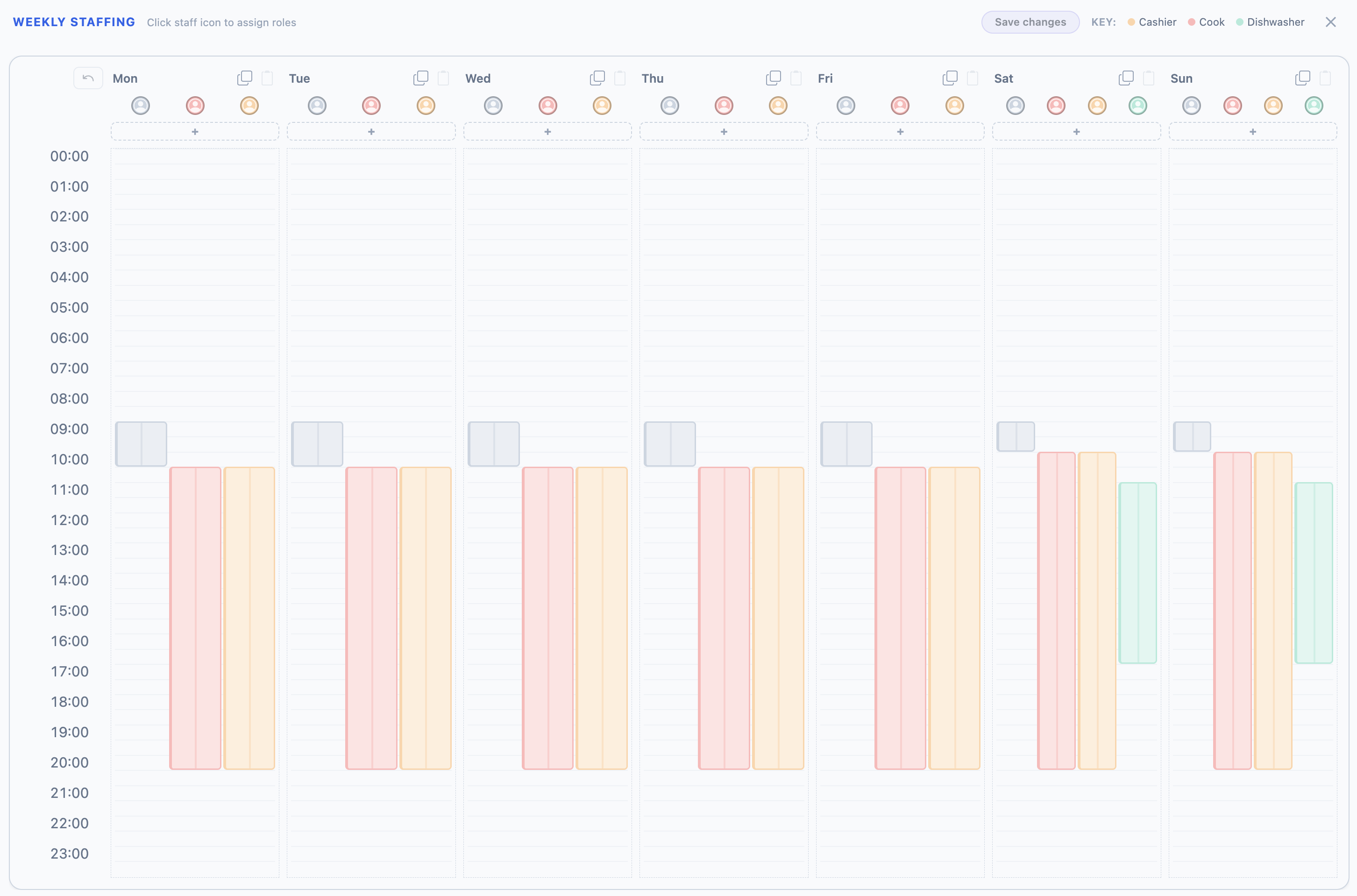
don't type it
The timetable is a visual weekly planner you interact with directly: click to place a block, drag its edges to set hours, assign a role. You see the whole week's coverage at a glance, and copying Monday to Friday is one gesture.
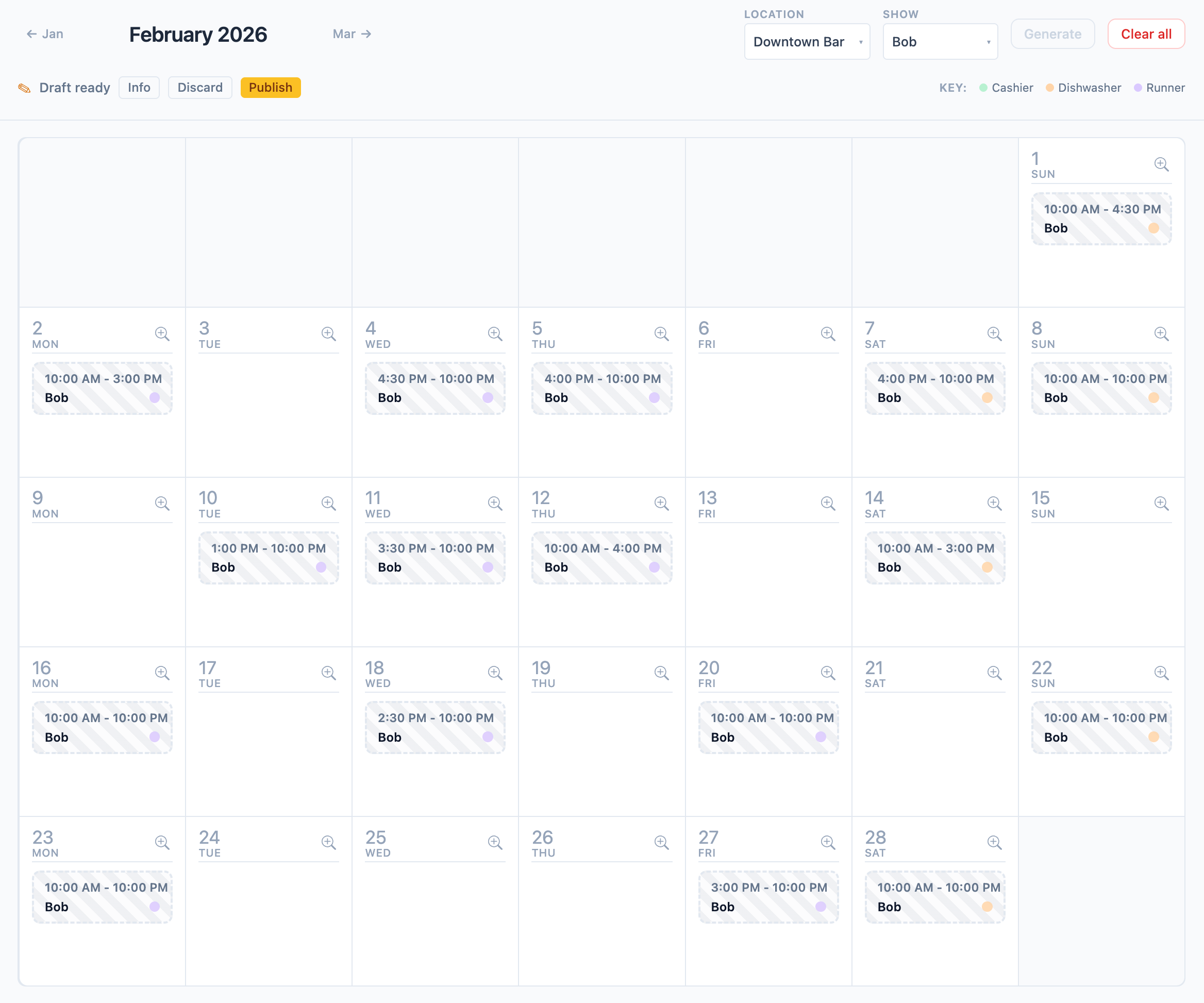
See the result as a calendar
The finished schedule lives on a familiar calendar grid. Filter by team member to check individual workloads, or view the whole team at once.
Workforce management in four steps
- 01
Set up your team
Add your team in minutes, assign roles, and let everyone set their availability and preferences.
- 02
Define your rules
Build your timetable and add scheduling constraints using fill-in-the-blank templates. Different locations can have different rules.
- 03
Generate a schedule
SKEDA builds a roster that satisfies your rules, respects preferences, and distributes shifts fairly.
- 04
Review and publish
Make any final adjustments, then publish. Everyone gets notified. Calendar sync is coming soon.
Control without complexity
Express your workforce management requirements in plain language, then let SKEDA handle the math. No spreadsheets, no manual juggling.
- Set limits on consecutive shifts to prevent burnout and keep your team rested.
- Drag and drop to build timetables with precise staffing levels for each shift.
- Choose from ready-made rule templates for common legal and business requirements.
- Generate schedules on demand. SKEDA notifies you when a draft is ready.
Team members stay informed
Everyone can set their own preferences and mark dates they're unavailable. No more back-and-forth messages or missed updates.
- Mark unavailable dates and preferred shifts before the schedule is generated.
- View your upcoming shifts at a glance, so everyone knows when they're working.
- Get notified when schedules are published or when your shifts change.
Publish once, confirm everywhere
SKEDA balances your rules with team preferences, then generates a fair roster. When you publish, everyone gets notified and confirms they've seen it.
- Publish with one click and notify the whole team instantly.
- See who has viewed and acknowledged the roster at a glance.
- Keep a clear record of every published schedule and who confirmed it.
Handle sick days without the calls
When someone can't make their shift, SKEDA finds fair coverage with minimal disruption. No more calling down the list or manually reshuffling.
- See who's qualified and available to cover at a glance.
- SKEDA makes the smallest changes possible to keep the roster intact.
- Anyone whose shifts change gets notified automatically.